


Audit
Find what's broken across your entire tracking stack.
- 40+ checks across your stack
- One health score, issues ranked
- Consent tested for GDPR, CCPA, DPDP
Free Audit in Under 2 Minutes · GA4 · GTM · Pixels · Compliance
Your tracking is checked, explained, fixed, and monitored 24/7. Think of GAfix as an extension of your marketing team, working across GA4, GTM, consent, attribution, and your website.
Read-only access · Results in under 2 minutes · ISO 27001 & SOC 2 compliant
Based on audits run by GAfix customers
Going live is only the start. Sites change, tags break, and compliance rules shift, so GAfix keeps watching to keep your data accurate and compliant.
Find what's broken across your entire tracking stack.

Turn every finding into a fix you can actually ship.

Continuous oversight for a setup that never stays still
Every GAfix finding comes with the context, impact, and guidance you need to get your tracking back on track.
Two GA4 purchase tags fire for the same order, causing revenue and conversion data to be counted twice across your reports.
The Fix

An ad vendor kept firing after visitors declined consent, so their data may still reach your ad and analytics platforms.
The Fix

Google Ads showed 40 conversions, but GA4 recorded only 12 for the same period. That makes your campaigns look weaker than they really are.
The Fix

Customers


“They fixed all my Google Analytics, Google Tag Manager, and Google Ads issues. Server-side conversions started working, everything started optimizing properly again. If you need a team that's not going to let you down — I highly recommend them.”
Frederik Bonneau · Founder, Controlla Voice
Here's what others found after their first audit.
“Accurate data is everything - GAfix surfaces exactly what's broken, in minutes. A must-have for any team running GA4.”
 Subhojit DeyProject Delivery Lead, NeenOpal Inc.
“GAfix simplified what used to be a complex, time-consuming process. Automated audits, clear recommendations - it's become essential to how we maintain our GA4 setup.”
 Vivek SinghCo-Founder, Hopstack
“We uncovered tracking issues we didn't even know existed. The audit found them instantly, and the recommendations helped us fix them fast.”
 Rugveda SherkarGA expert, Mokkup.ai
“Our consulting agency manages multiple GA4 properties, and GAfix is a game-changer! The ability to audit and optimize tracking across clients and multiple properties has helped us deliver better insights and results.”
 Lisa FlosznikFounder and CEO, Type 26
How GAfix helps
The audit is free and tells you what's wrong. What happens next is your call.
See exactly what's broken in your tracking, in 2 minutes.
$0no card required
Scheduled audits, alerts between runs, and a monthly allowance of fixes.
$99mo
Problems that span systems, or a rebuild. Scoped and priced before work starts.
Custom
GA4 services · specialist work
Bring us the tracking problem, the messy setup, or a blank slate. Our GA expert services help you build, fix, and maintain accurate measurement across GA4, GTM, advertising, compliance, and reporting.

Correct event structure, validated conversions, and a new setup your team can maintain and build on.

A clean, structured GTM setup - so every tag fires correctly, every time.

Server-side tagging for data accuracy, privacy compliance, and ad performance.

Complex or custom tracking work - scoped, quoted, and delivered by our team.

Connect ad spend to GA4 revenue. Server-to-server event forwarding, no browser dependency, no data loss.

Full GA4 e-commerce - Shopify, WooCommerce, custom. Purchase, revenue, funnel data.

Connect HubSpot, Salesforce, GoHighLevel to GA4. First touch to closed revenue.

Custom Looker Studio dashboard- traffic, conversions, revenue in one live view.

Connect Hotjar, Clarity, Intercom, Stripe, Calendly, Typeform to GA4.
Who we work with
The tracking details change from one business model to the next. The need for numbers you can act on doesn't.

Slide 1 of 4.
Access and privacy
The Google Analytics 4 audit reads how your property and container are configured. It never touches the data flowing through them.



A read-only OAuth link to your property. We read configuration only, never your users, events, or traffic.

Your tag container is read from what your site already serves publicly. No login, no permissions to grant.

We don't keep your data after a run, and we never change a setting. ISO and SOC2 compliant.
FAQ
Usually one of four things: the wrong property is connected, the measurement tag is missing from some templates, a data stream was never configured, or the Google Tag Manager container isn't loading. The audit checks all four and tells you which one applies, including why real-time can sit at zero while historical reports look fine.
They rarely fail on their own. Something upstream changed: a redesign renames the CSS selector a click trigger depended on, a plugin update moves the container snippet, or a new tool gets added straight to the site instead of through the container. The tag didn't break, the page it was watching did.
Both, and they're priced separately so you never pay for work you don't need. The audit is free. Ongoing coverage with a monthly fix allowance starts at $99. Anything larger goes through analytics consulting, scoped and quoted before it starts.
No. The findings are written for the person who noticed the numbers were wrong, not for the person who'll fix them. Each one says what broke, what it costs you, and what needs to happen next, hand it to your developer, or hand it to us.
The audit is free; 1 full audit per user per property . Monitoring starts at $99 a month, or $79 billed annually. One-off work is priced as follows: $79 per tool integration, $249 for Looker Studio, $349 for conversion tracking, $549 for ecommerce tracking, $749 for server-side tracking. GA4 implementation and Google Tag Manager setup are scoped individually.
The connection is read-only and scoped to configuration. We can see how your property is set up. We can't see your users, your events, or your revenue. Nothing is stored after a run, nothing is changed, and our practices are ISO and SOC2 compliant.

Run a free GA4 and GTM audit to discover exactly what's impacting your data quality in less than 2 minutes, with no credit card needed.
Whether it never tracked or suddenly stopped changes the cause. 12 reasons, ordered by how often each one is the culprit.
 Geetanjali Khatri8 Min Read
When paid campaigns quietly turn into "Direct" traffic, the problem usually isn't the campaign, it's that your GA4 attribution tracking relies on a single point of failure. This piece breaks down the four layers that fix it for good.
 Rakshita Jain5 Min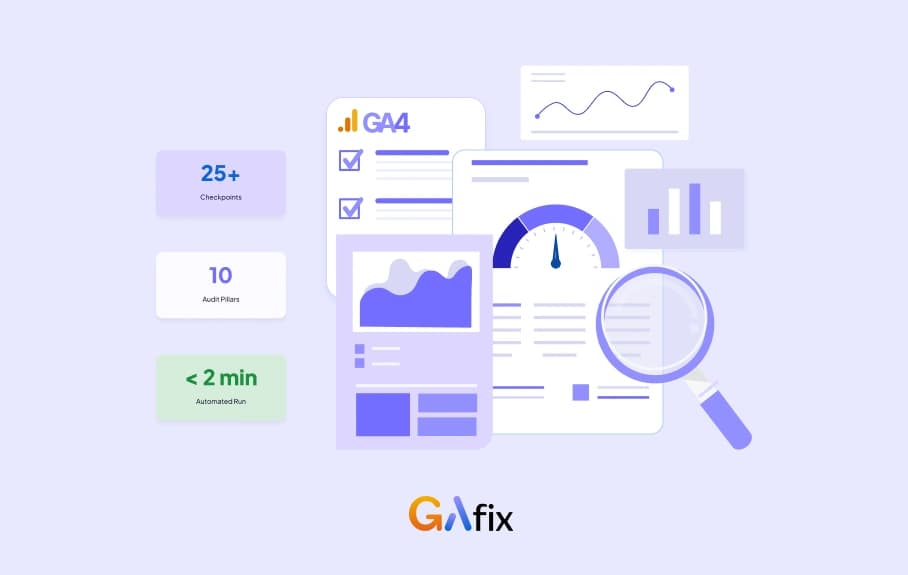
Get a free Google Analytics (GA4) audit template built on a real 10-pillar, 25+ checkpoint framework - plus a live way to run it in under 2 minutes.
Geetanjali Khatri8 Min Read


